Customers
Customers are a very important part of the JOVA POS system. This page is used to manage customer data related to transactions and sales.
This page allows users to add, edit, and delete customer data easily.
Customer Management Purpose
Customer management aims to:
- Store customer contact information needed for transactions.
- Make it easier for business owners to market and promote to customers.
- Monitor customer transaction history for further analysis.
Customer Page View
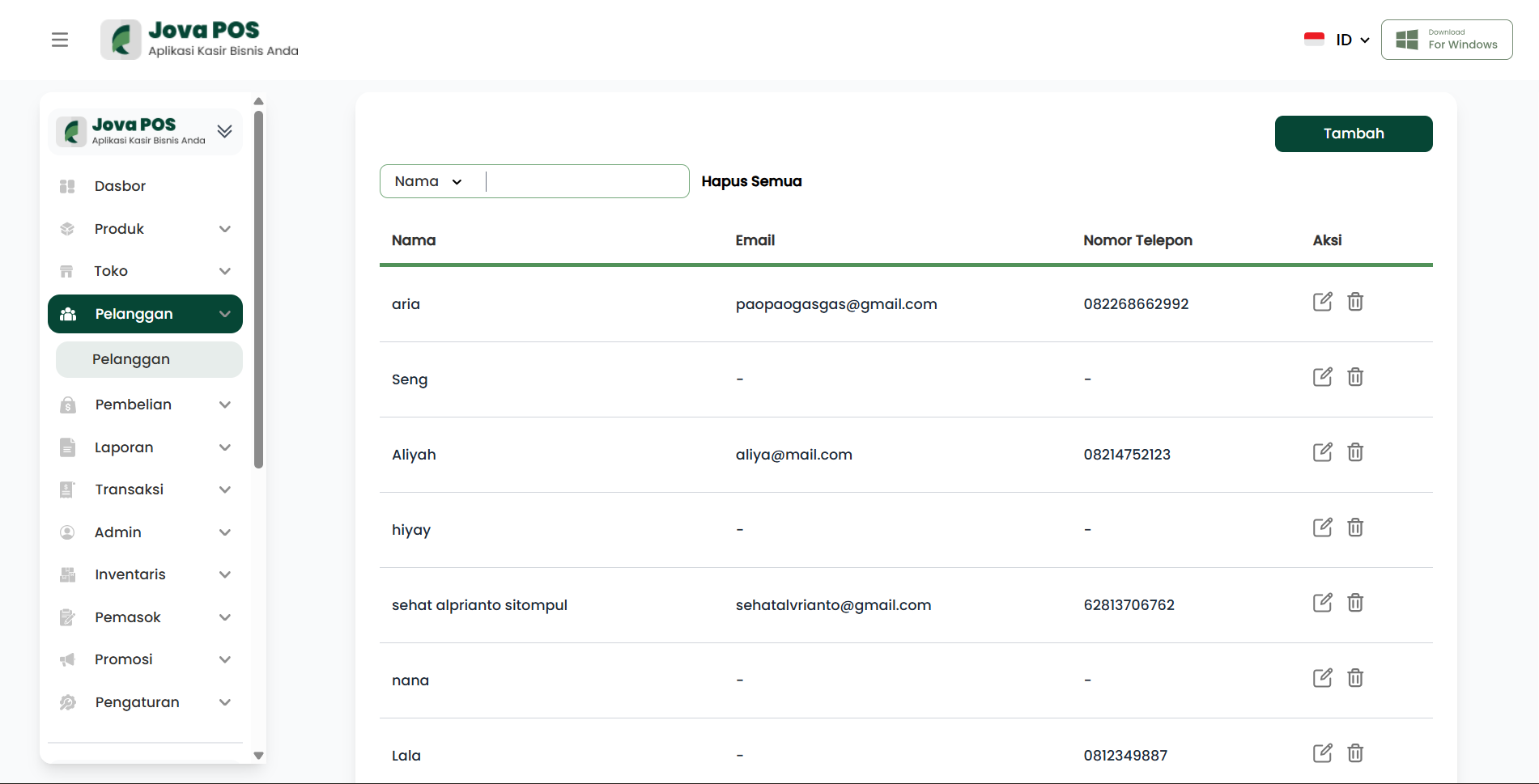
Customer Page Sections
1. Customer List
In this section, you can view the list of existing customers. Each customer has information such as name, email, phone number, and address.
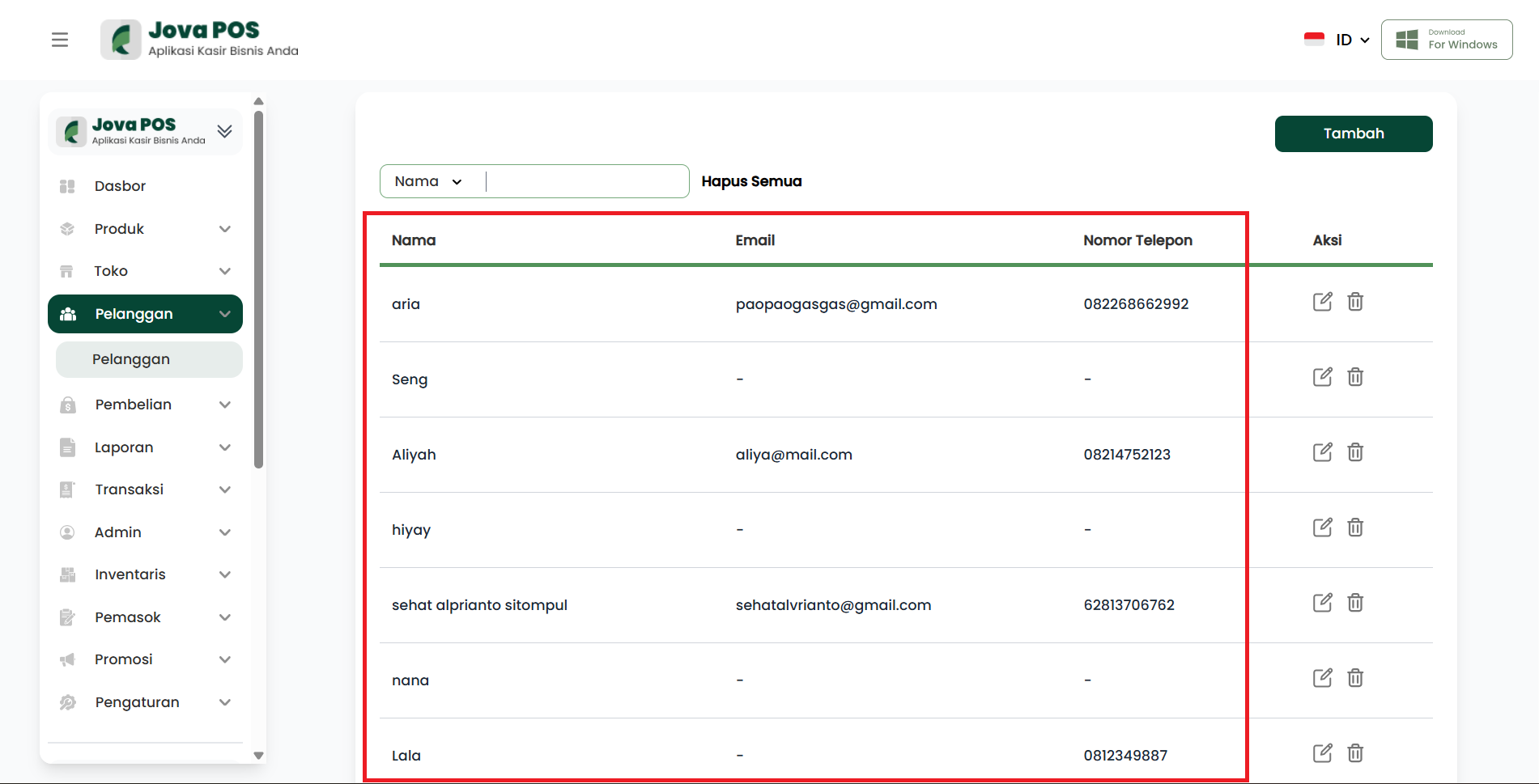
Customer List Functions:
- Display all registered customers
- Easy customer search by name
- Quick access to each customer's details
2. Adding a Customer
To add a new customer, click the Add button located in the top right corner of the page. Fill in the customer data such as:
- Name (Required): The customer's full name
- Email (Optional): The customer's email address
- Phone (Optional): The customer's phone number
- Address (Optional): The customer's home address
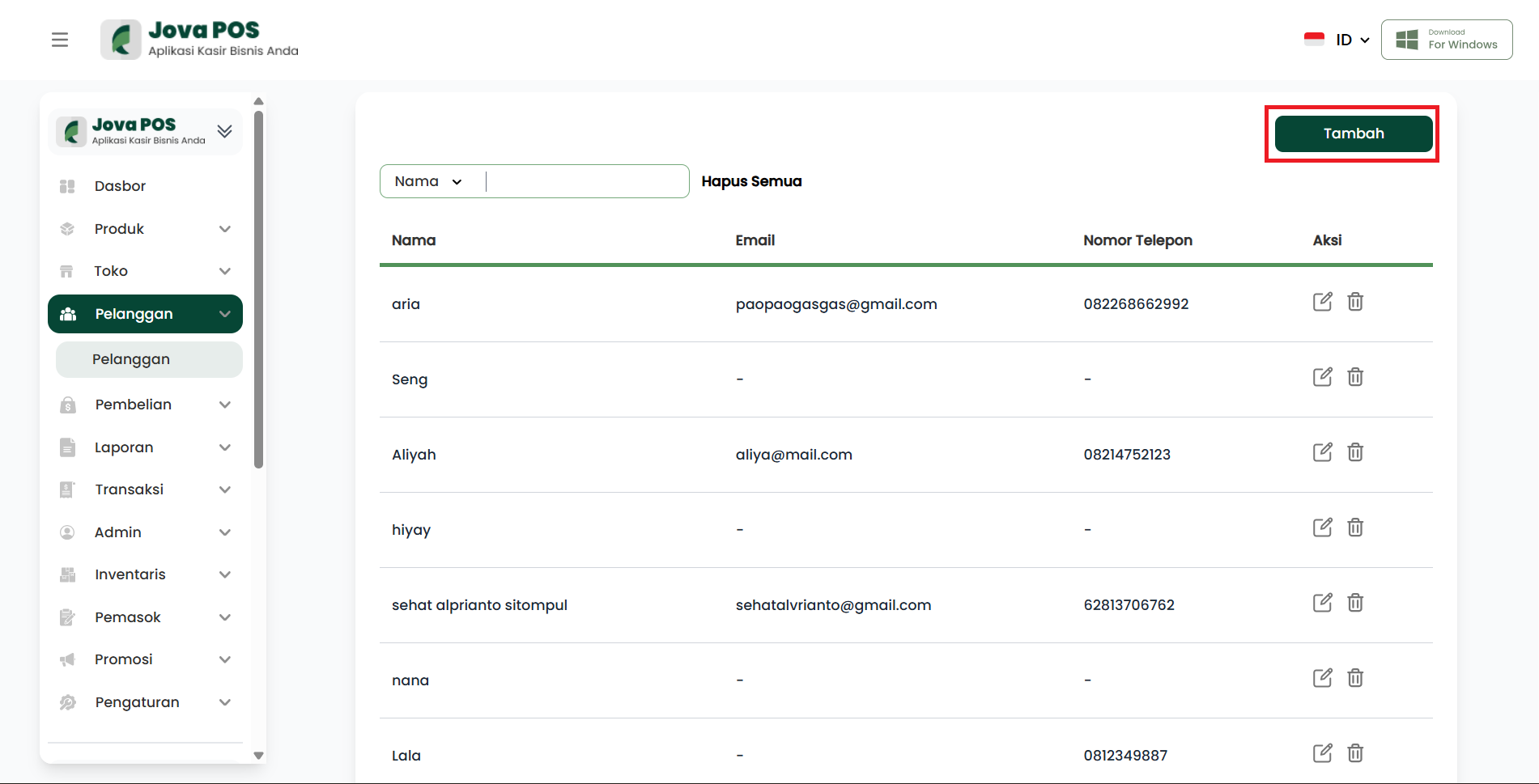
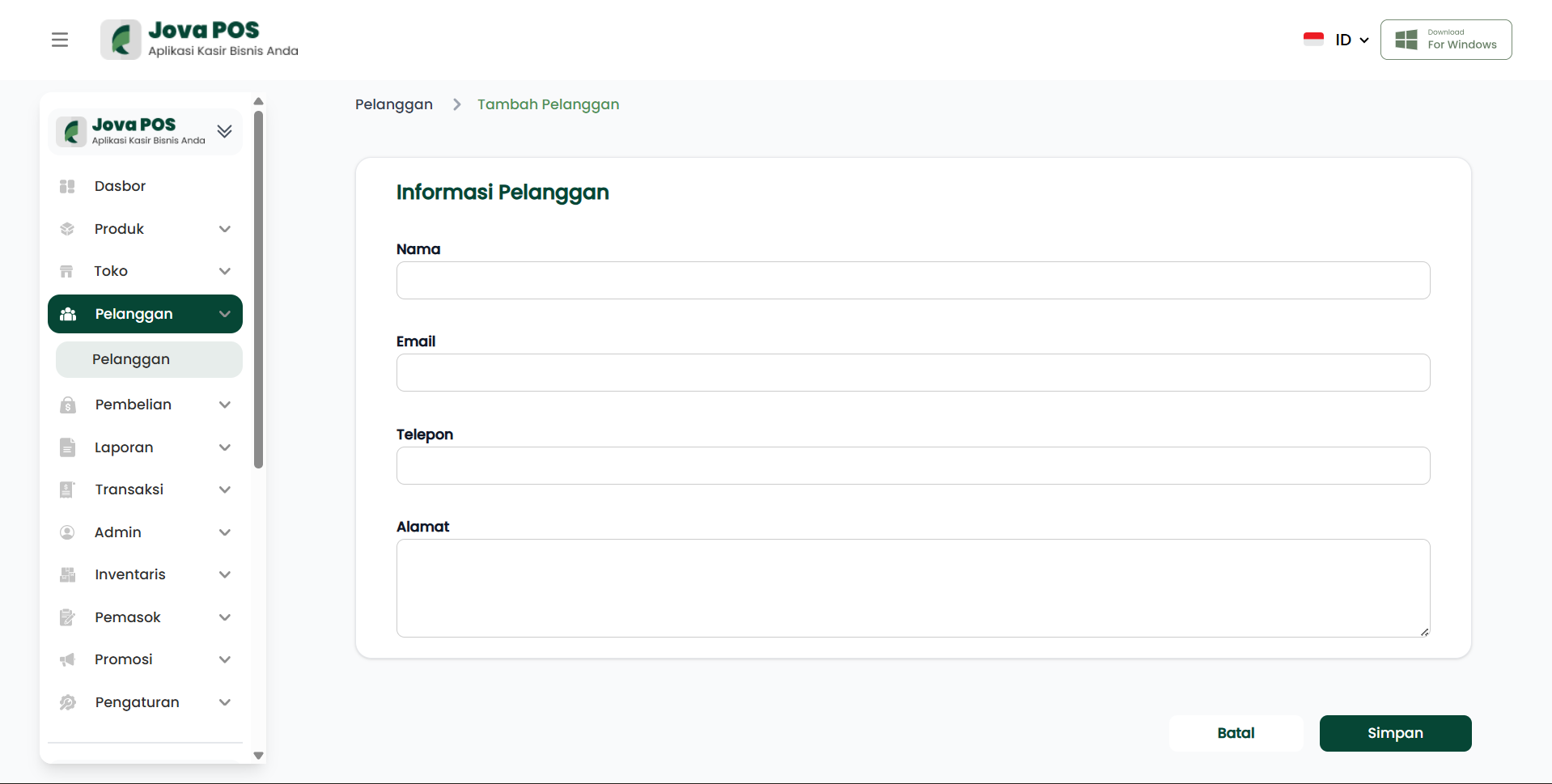
Add button function:
- Add new customer data to the system
3. Editing a Customer
To edit existing customer data, click the Edit icon next to the customer's name. You can change data such as name, email, phone, and address.
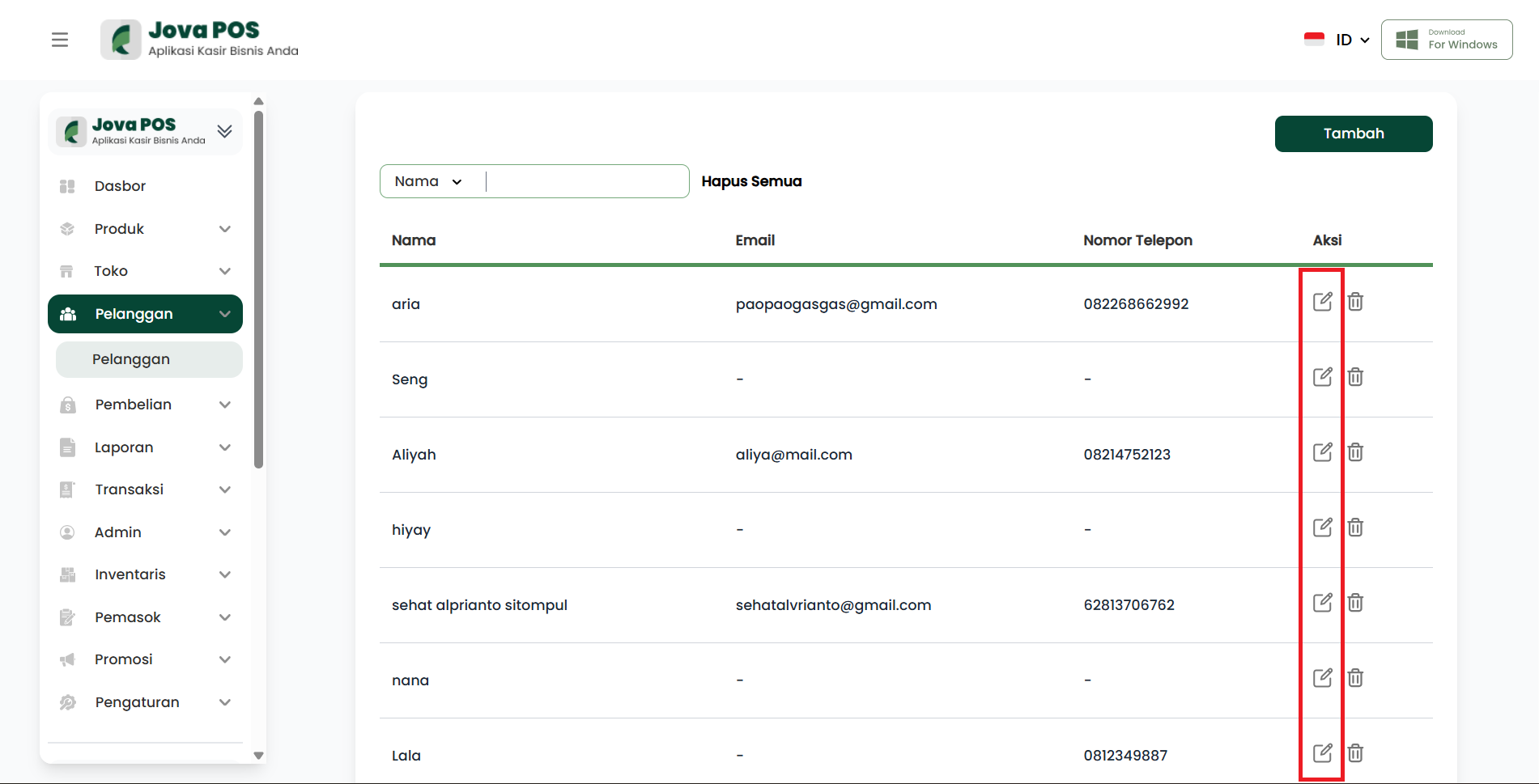
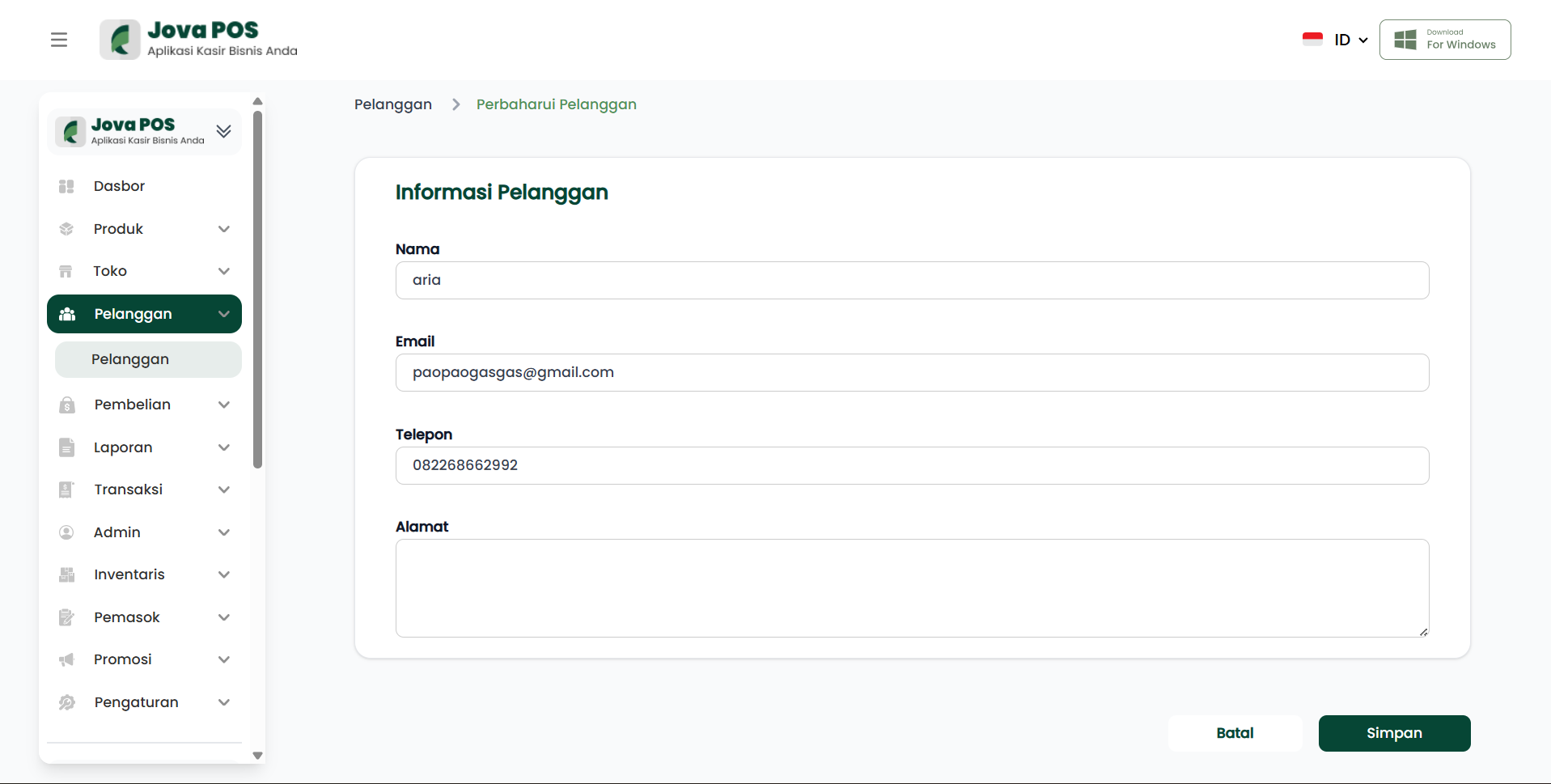
Edit button function:
- Modify existing customer data in the system
4. Deleting a Customer
To delete a customer, click the Delete icon next to the customer's name. The deleted customer will be removed from the customer list.
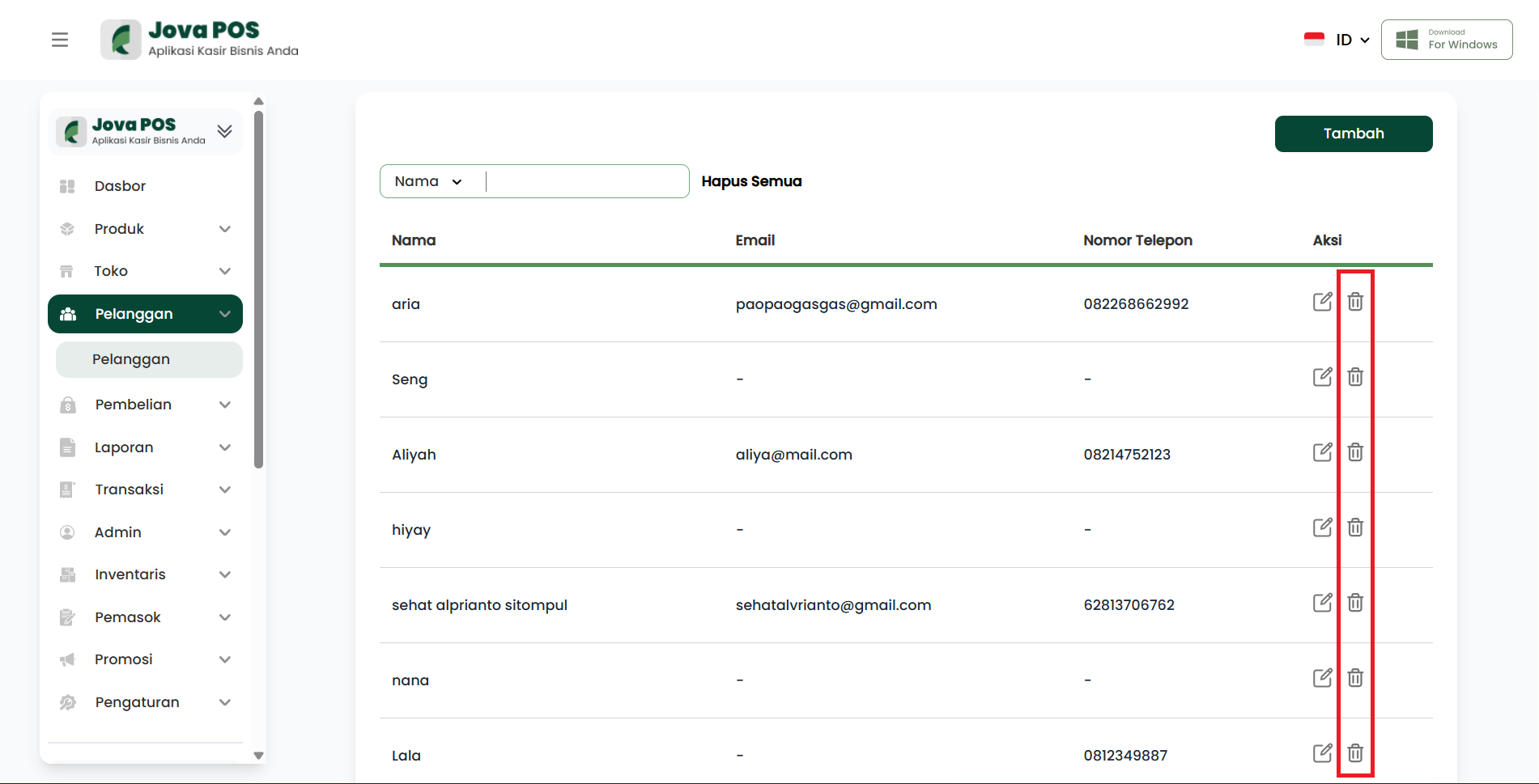
Delete button function:
- Remove a customer from the system
Guide to Using Customer Features
Adding a New Customer
- Click Add on the customer list
- Fill in all required customer information
- Click Save to save the customer data
Editing Customer Data
- Select the customer to edit
- Click the Edit icon
- Change the desired information
- Click Save to update the data
Deleting a Customer
- Select the customer to delete
- Click the Delete icon
- Confirm the deletion
Access Rights by Role
The customer page display may differ based on the user role:
| User Role | Access Rights |
|---|---|
| Admin | Full access to all customer data |
| Cashier | Can only view customer list and transaction-related data |
| Owner | Full access with ability to add and edit customers |
Customer Management Flow
Login
  ↓
Customer Page
  ↓
Select Customer
  ↓
Add / Edit / Delete Customer
  ↓
Save Data
  ↓
Return to Customer List